Set the scene.
Stabilize your iPhone behind the pitcher. Enter the target distance and calibrate the strike zone to your setup.
 ThrowVeloComing soon
THE WORK BETWEEN GAME DAYS.
Find your velocity. See your command. Build a record of the work, one pitch at a time.
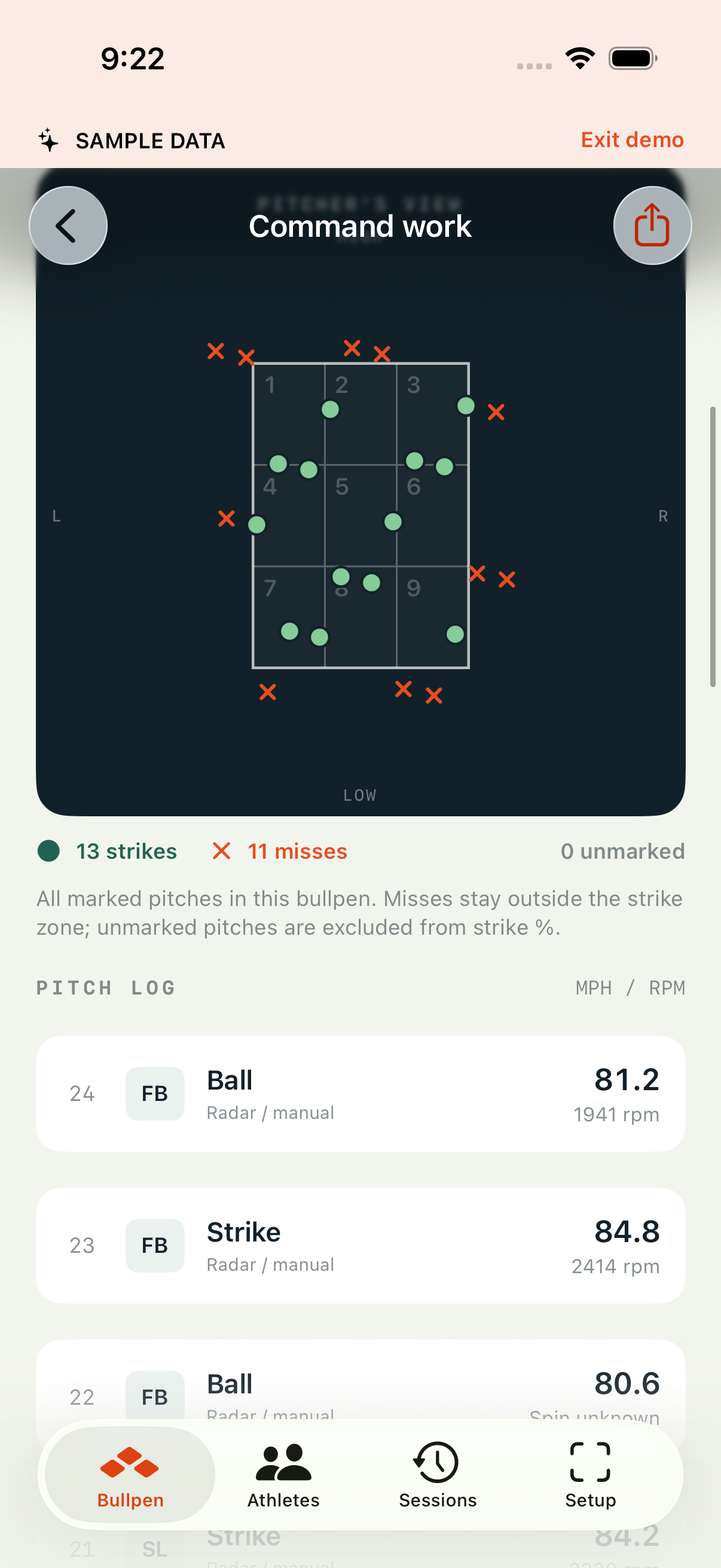
COMMAND WORK
01 / EVERY PITCH TELLS A STORY
A nine-hole view of the strike zone puts every pitch in context. Find your spots, see your patterns, and give the next session a purpose.
Select a pitch to explore its details. Sample values demonstrate the interface.
02 / A RECORD OF THE WORK
Keep athletes, pitches, and progress together. Turn a day on the mound into something you can come back to.
Separate athlete profiles keep each pitcher’s sessions and statistics in their own history.
Review velocity, recorded spin, training strike percentage, and location alongside the pitches behind them.
Record a bullpen, review individual pitches, and retain the original video to revisit the work.
03 / FROM SETUP TO SESSION
A catcher, a nine-hole target, or a wall. Start with a measured distance and a clear view from behind the pitcher.
Stabilize your iPhone behind the pitcher. Enter the target distance and calibrate the strike zone to your setup.
Capture the bullpen in high-speed video. Use good lighting and an unobstructed view of the ball and target.
Check detected pitches, refine locations, and add known readings. Save the session to the athlete’s history.
Automatic pitch detection and video estimates are experimental and need review. Video velocity estimates average flight speed; they are not a radar measurement of release velocity.
04 / STAY WITH THE SESSION
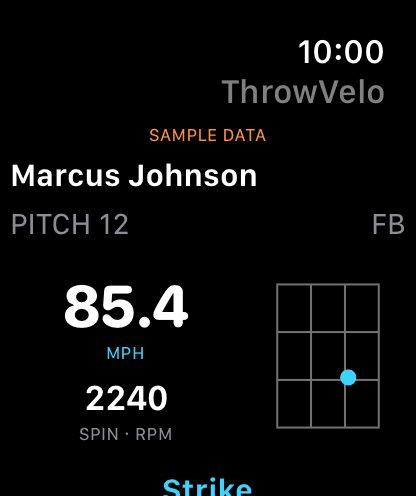
See the latest pitch on your wrist: velocity, recorded spin, and a nine-hole location view.
Review recent pitches without returning to your phone. The companion keeps the last synced results available when the connection drops.
iPHONE CAPTURES. APPLE WATCH DISPLAYS.BUILT AROUND HIGH-SPEED VIDEO
Designed for iOS 17 or later, with a compatible high-speed camera. The Watch companion requires watchOS 10 or later.
BEFORE THE FIRST PITCH
ThrowVelo is in development. App Store and TestFlight availability have not been announced. This page previews the app and uses illustrative session data.
Reliable automatic spin measurement from behind the pitcher has not been validated. You can record known spin readings from another device or enter a value after manual review when the video supports it. Unresolved spin remains unknown.
They depend on distance calibration, frame rate, visibility, and correctly identifying the ball’s flight. Estimates represent average flight speed, which differs from release velocity. Real-world accuracy validation is ongoing; review estimates before relying on them.
Yes. Configure the target distance and strike zone for a catcher, nine-hole target, or wall. The location view includes pitches outside the zone, so misses remain part of the session.
Yes. Each athlete has a separate session history. Review statistics such as maximum velocity, maximum known spin, and training strike percentage for their bullpens.
Session records and video are stored on your device. The Watch companion receives synced results, and session data can be exported as CSV. This marketing demo does not collect athlete information.
BUILT FOR THE BULLPEN.
ThrowVelo for iPhone & Apple Watch.
Coming soonTake another look at the sample